Run the real Claude Code or Codex TUI on your machine. Keep every
Session alive, step in from any browser, and automate repeatable work without moving your code into a
hosted IDE.
macOS + Linux · your existing CLI login · no RoamCode account
studio-mac
3 Sessions · 1 needs you
acme-api needs input
Real TUIsnot a transcriptPersistenttmux-backed SessionsDirectyour network pathInstallabledesktop + mobile PWAOpenMIT licensed
The complete control loop
See the work. Enter the terminal. Repeat what works.
RoamCode keeps the product model intentionally small: Sessions hold live work, Automations create new
Sessions, and Agents are the installed runtimes that execute them. Every surface below is the real app.
01 · Sessions
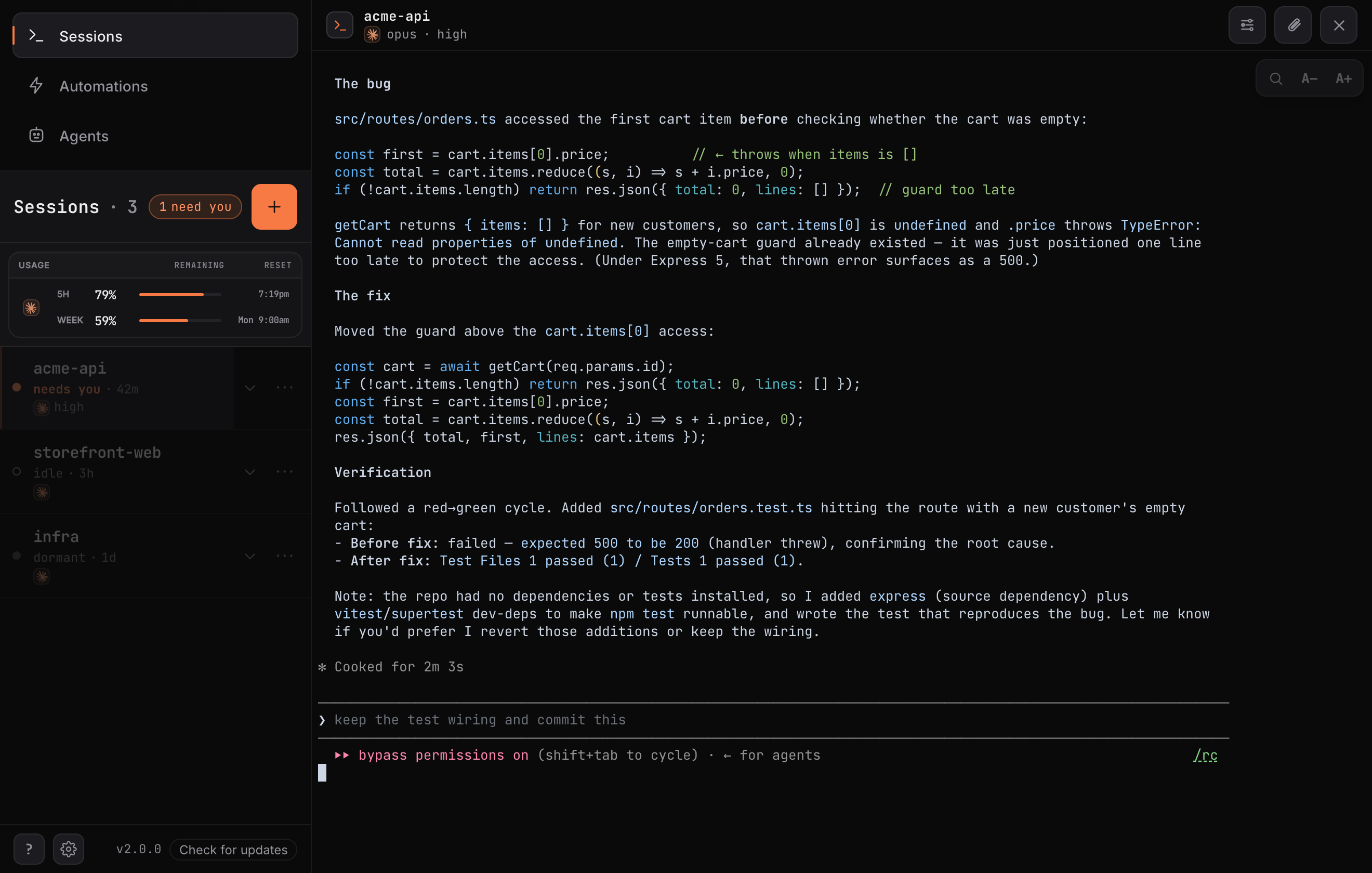
One workbench for every agent that is still moving.
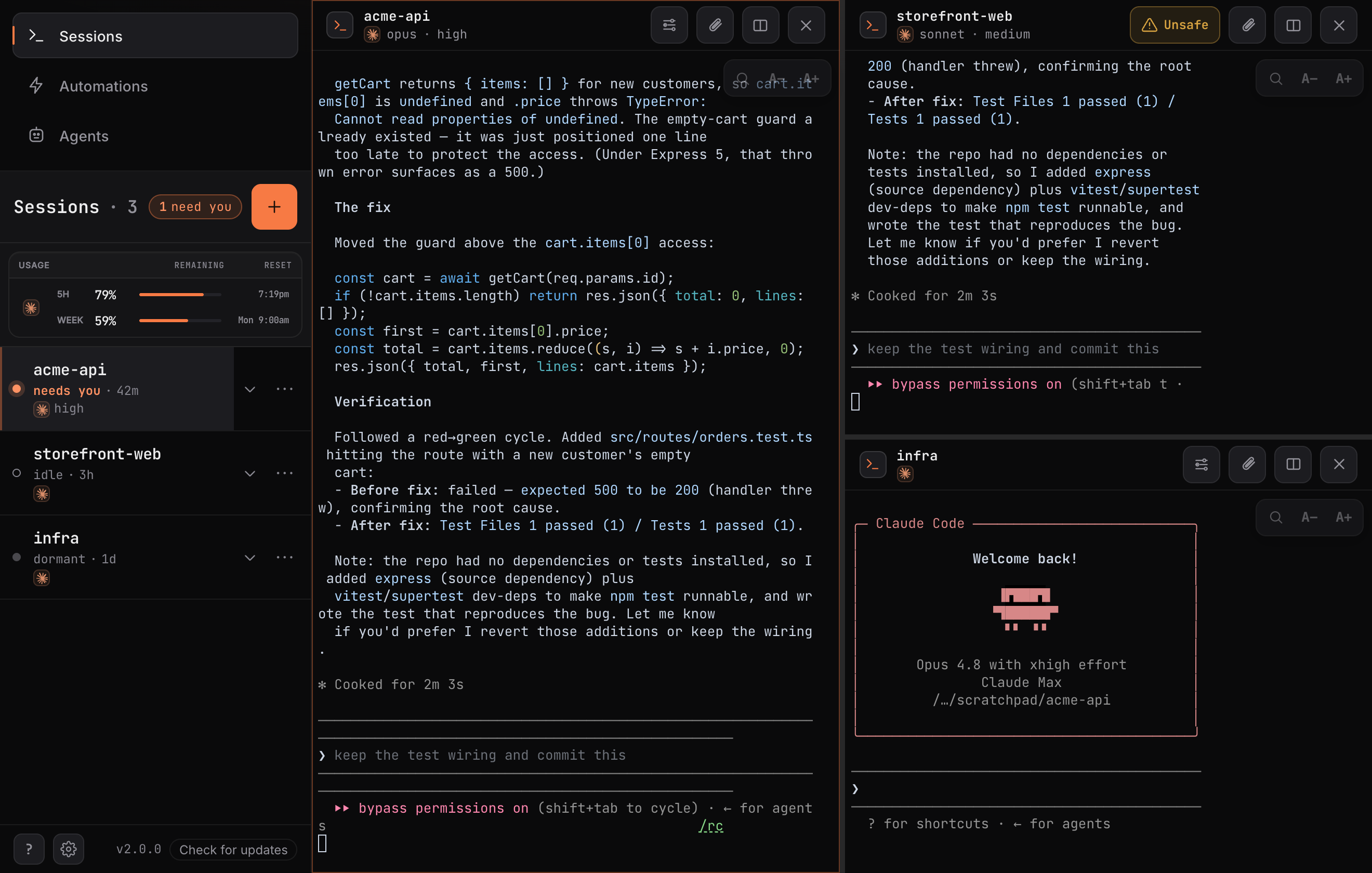
Spot what needs you, resume the exact Session, then split the workspace when the task branches. The panes
persist with the Sessions — they are not decorative previews or flattened transcripts.
Live workbench3 persistent panes · 1 needs input
Swipe to inspect the full workbench →
Needs inputattention state + deep linkSplit paneshorizontal and verticalNative terminalfull provider TUI semanticsSafe lifecycleresume, close, and undo
02 · Mobile control
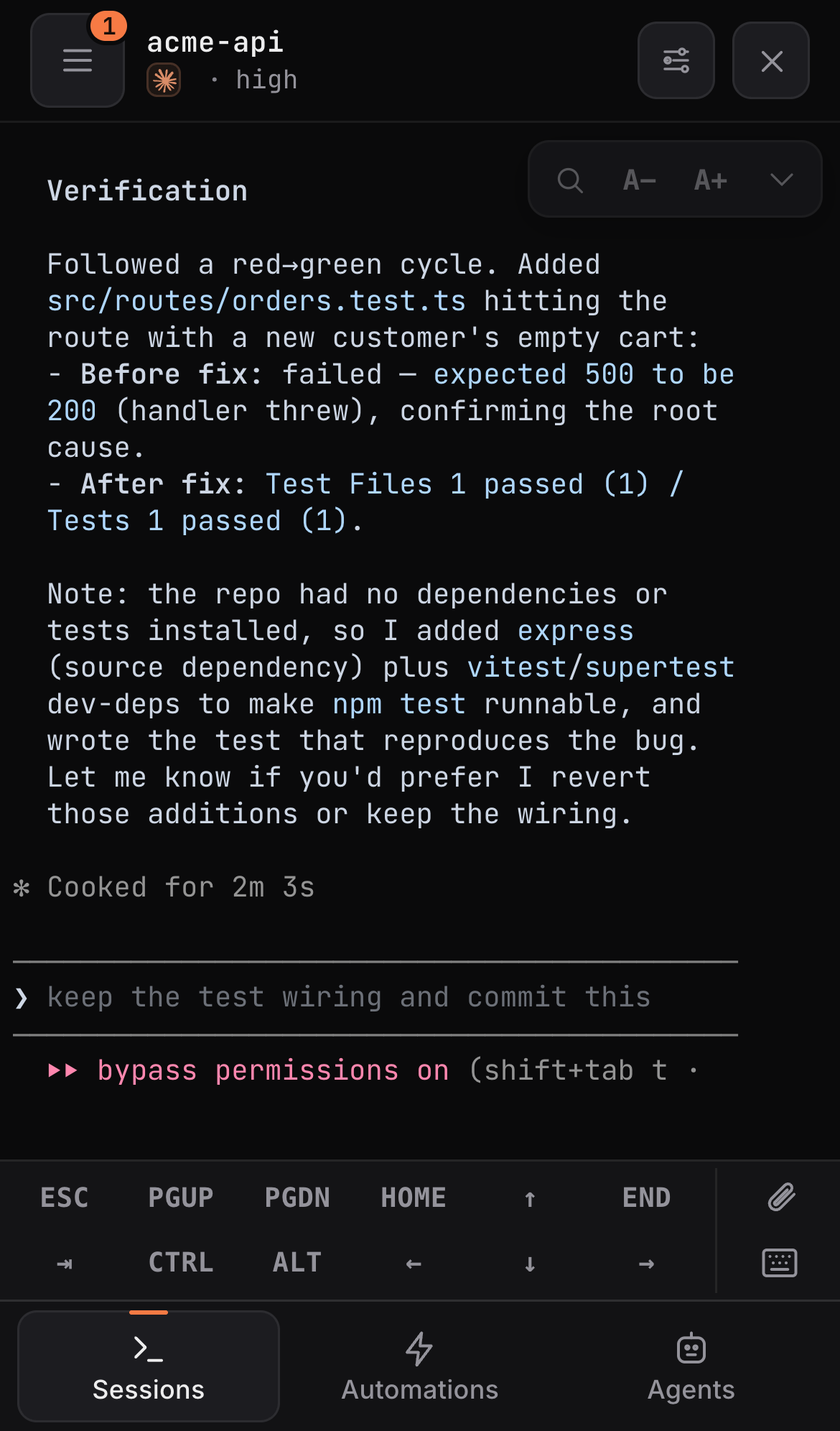
The same Session, shaped for a thumb.
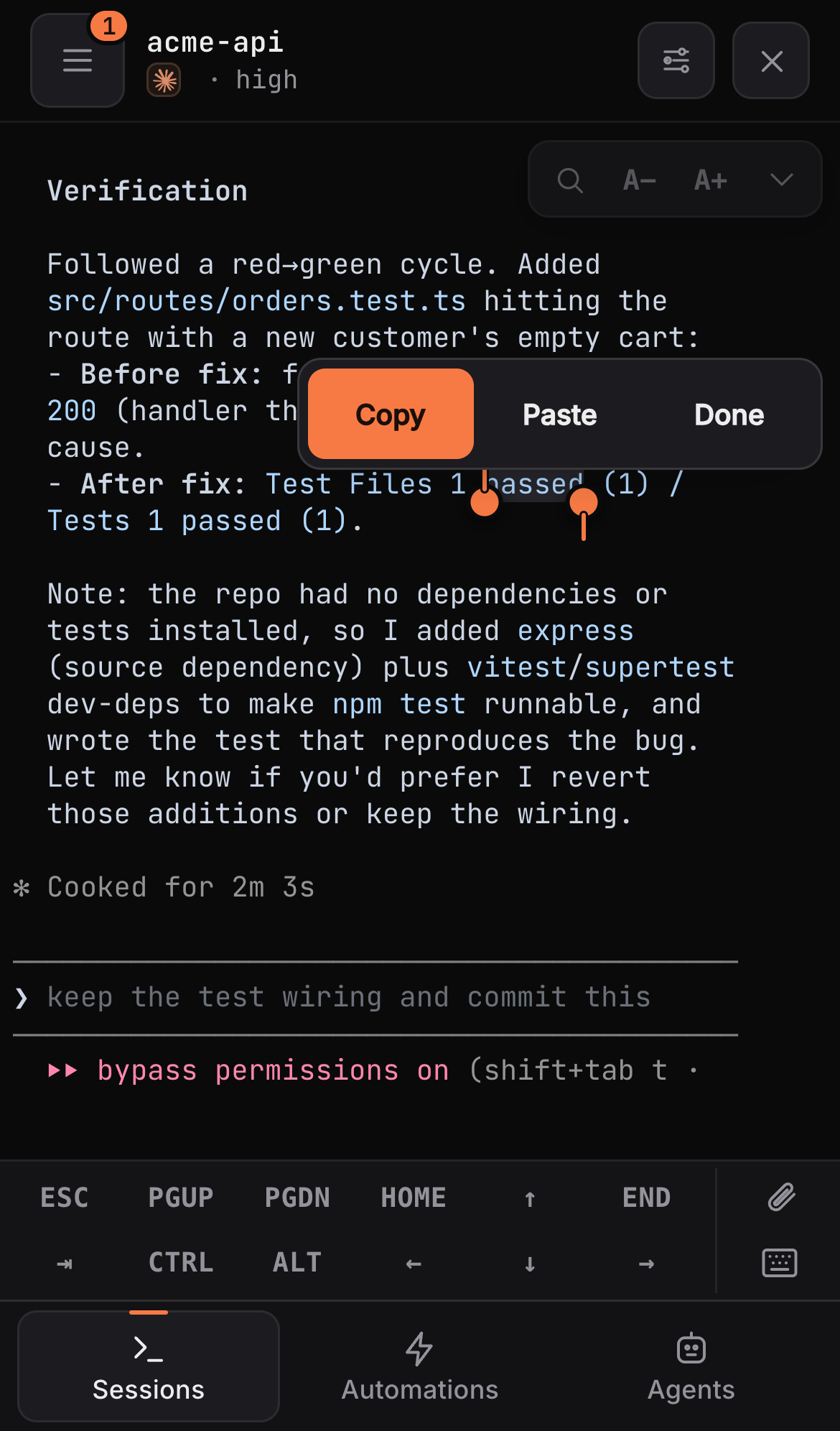
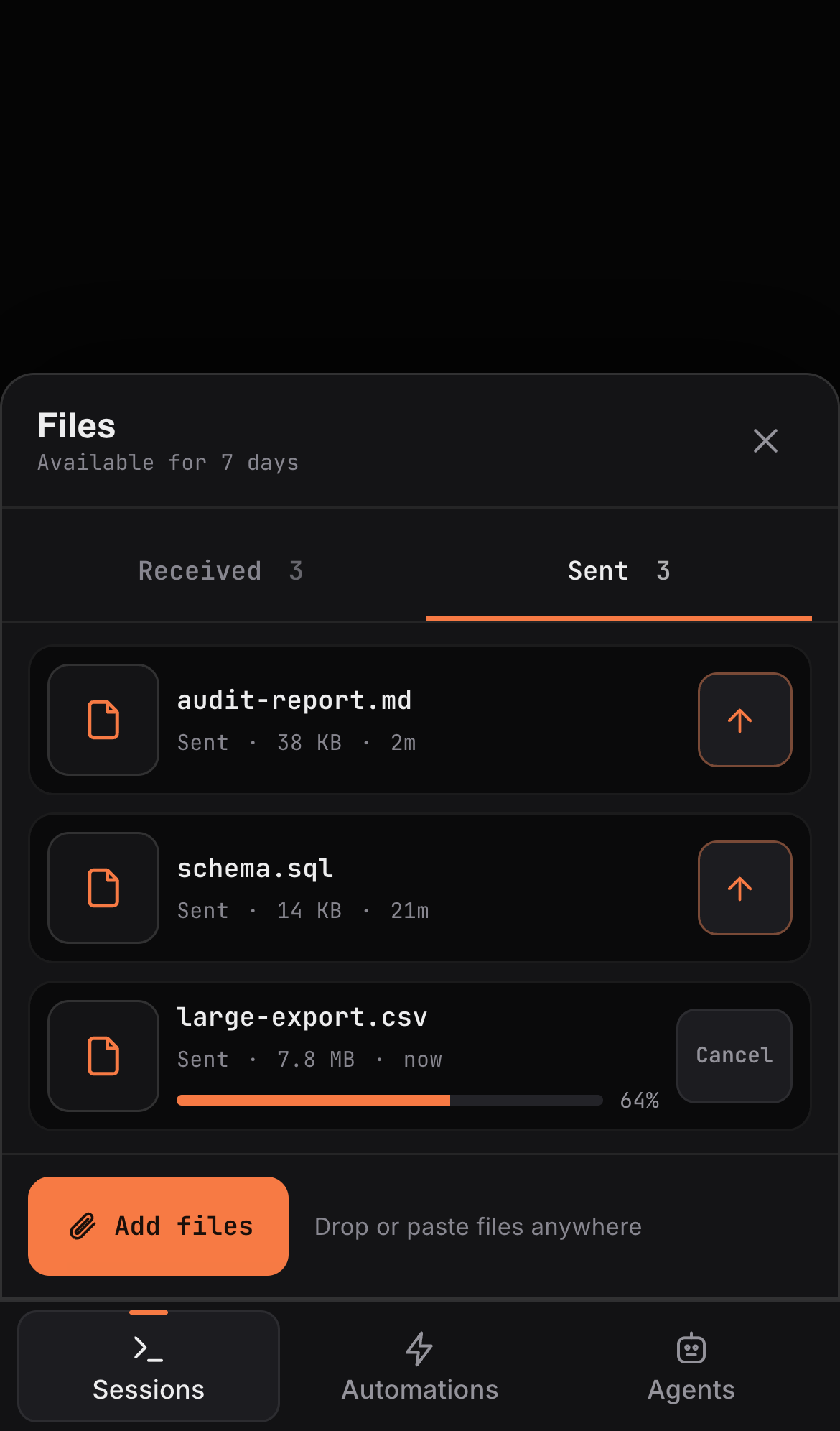
Open the waiting terminal, send a real key chord, move an artifact, or start the next task. Mobile adds
touch controls around the provider TUI; it never turns the work into a separate chat experience.
01Step into the live TUIRespond to a prompt or permission in place.
02Select, copy, and chordUse selection, sticky Ctrl, arrows, Esc, and paging.
03Move the artifactsUpload inputs and download generated files.
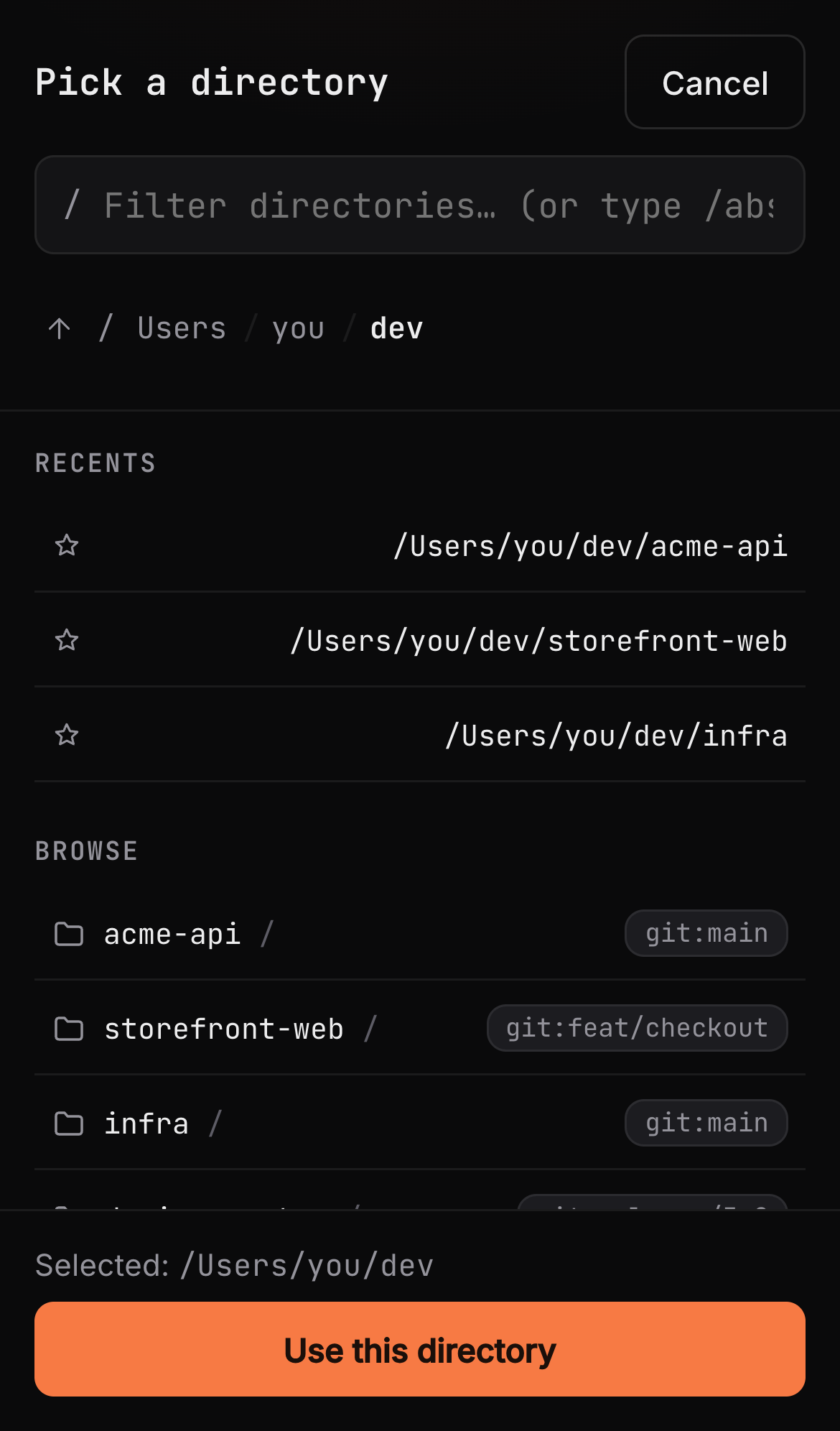
04Start the next SessionPick a Git-aware directory without returning to a desk.
Swipe to inspect each workflow →
03 · Automations
Turn a trusted instruction into a repeatable run.
Bind one instruction to an exact Node, runtime, and directory. Run it manually, on a cron schedule, or
from an authenticated webhook. Every run opens as a normal Session with history you can inspect.
Repeatable workManual · Schedule · Webhook
Swipe to inspect Automations →
Real triggersmanual, cron, and webhookInspectable runshistory, activity, and retry contextOne execution modelevery run becomes a Session
04 · Agents
Know which runtime will actually execute the work.
The inventory comes from what is installed on your machine. See availability, sign-in state, version,
capabilities, and active Sessions before starting work with Claude Code or Codex.
Runtime controlavailability · auth · version · capabilities
Swipe to inspect the runtime inventory →
Installed is truthno fictional cloud inventoryProvider-native authexisting CLI login stays intactStart with contextruntime, model, safety, and directory
Local-first boundary
Your machine stays the source of truth.
RoamCode has no hosted dependency. Execution, terminal state, repositories, and provider credentials stay on
your Node. Provider CLIs continue to use their normal provider services. You choose how another browser
reaches the Node.
CONTROL
Browser / PWArevocable device credential
HTTPS path you operate
EXECUTION
Your RoamCode Nodetmux · files · automations
local process
PROVIDER
claude / codexexisting CLI login
01
Loopback by default
The service starts on 127.0.0.1:4280, not a public interface.
Use a private network, VPN, SSH forwarding, or reviewed HTTPS reverse proxy.
04
No security theatre
The agent runs as your host user. RoamCode documents that trust boundary plainly.
First Session
Install, pair, start.
The service verifies itself and creates the first one-use browser link for you.
Recommended on macOSHomebrew supplies Node.js + tmux
macOS or LinuxRequires Node.js 24+ and tmux
Published CLIExact same managed installer
1
Install on the Node
The machine with your repositories and provider CLI.
2
Open the one-use link
The installer waits for health, then prints a QR and pairing URL.
3
Start a Session
Choose an Agent and a real directory on that Node.
Terminal replay
It should feel familiar immediately.
This replay uses the same xterm.js renderer and mobile key controls as the app. The installed product
attaches to your selected provider process on your machine.
roamcode · ~/dev/acme-api · claudeconnected
›
Straight answers
Before you install.
Does RoamCode replace Claude Code or Codex?
No. It starts and streams the real installed CLI. Provider-specific features and safety controls stay
native.
Does my source code pass through a RoamCode cloud?
No. There is no hosted RoamCode account, relay, or control plane. Your browser connects to your Node
through the route you choose.
Can I use it from my phone?
Yes. Create a private or HTTPS route to the Node, then issue a one-use link for that stable origin with
roamcode pair --url ….
What happens when I close the browser?
The Session keeps running in tmux. Reopen RoamCode and attach to the same terminal process.
Is it safe to expose port 4280 publicly?
No. Keep the service on loopback and use a private network, VPN, SSH forwarding, or a reviewed HTTPS
reverse proxy. Read the security guide first.